
Scheduling
One calendar. Every space. No surprises.
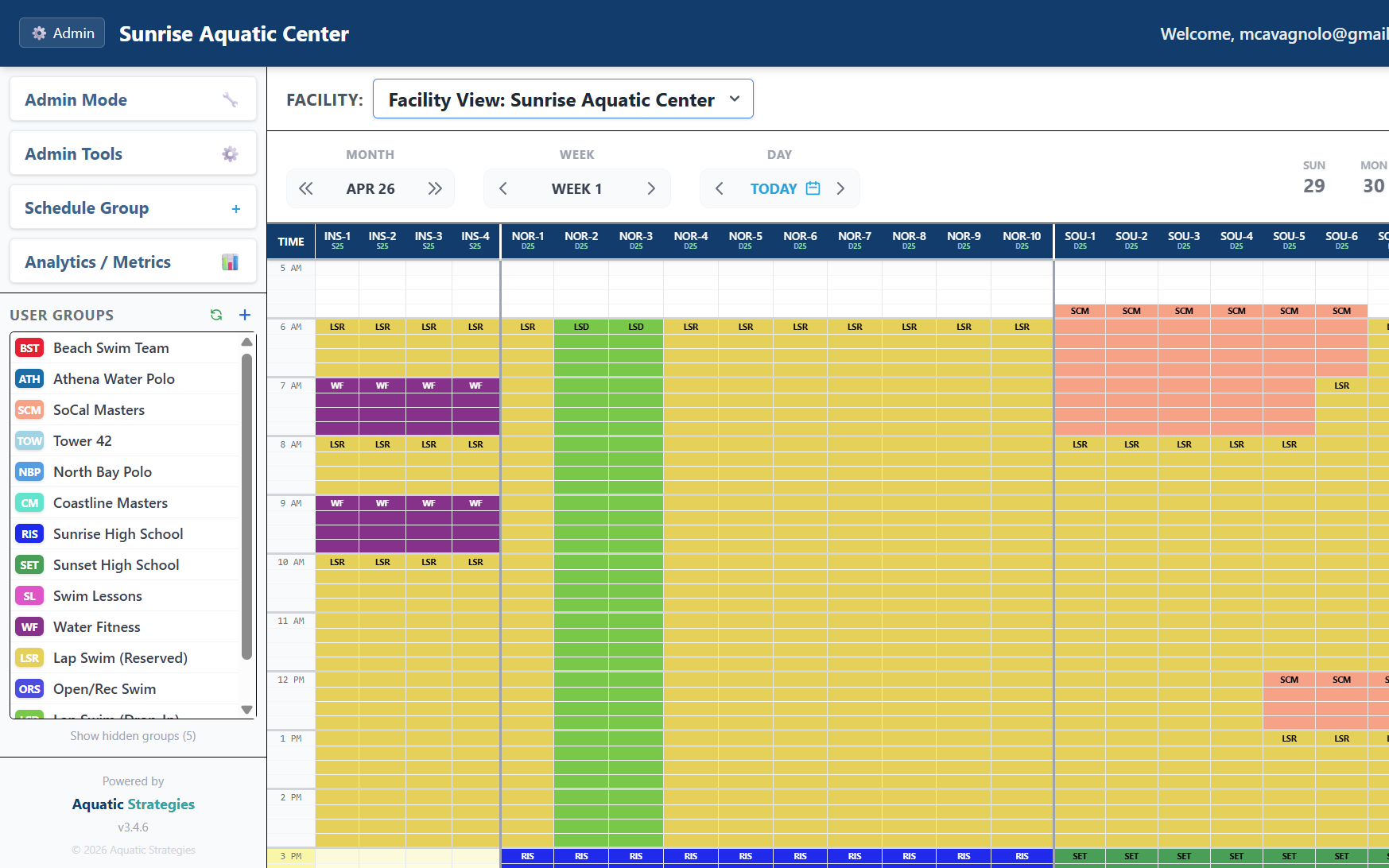
Internal programming and community rentals on the same grid - allocated to the lane, court, room, or field section, with every change on the record.
Allocation management
One operating view for every booking you make
Recurring blocks, one-off events, and the exceptions that come with running a public facility - all in the same place, all on the record.
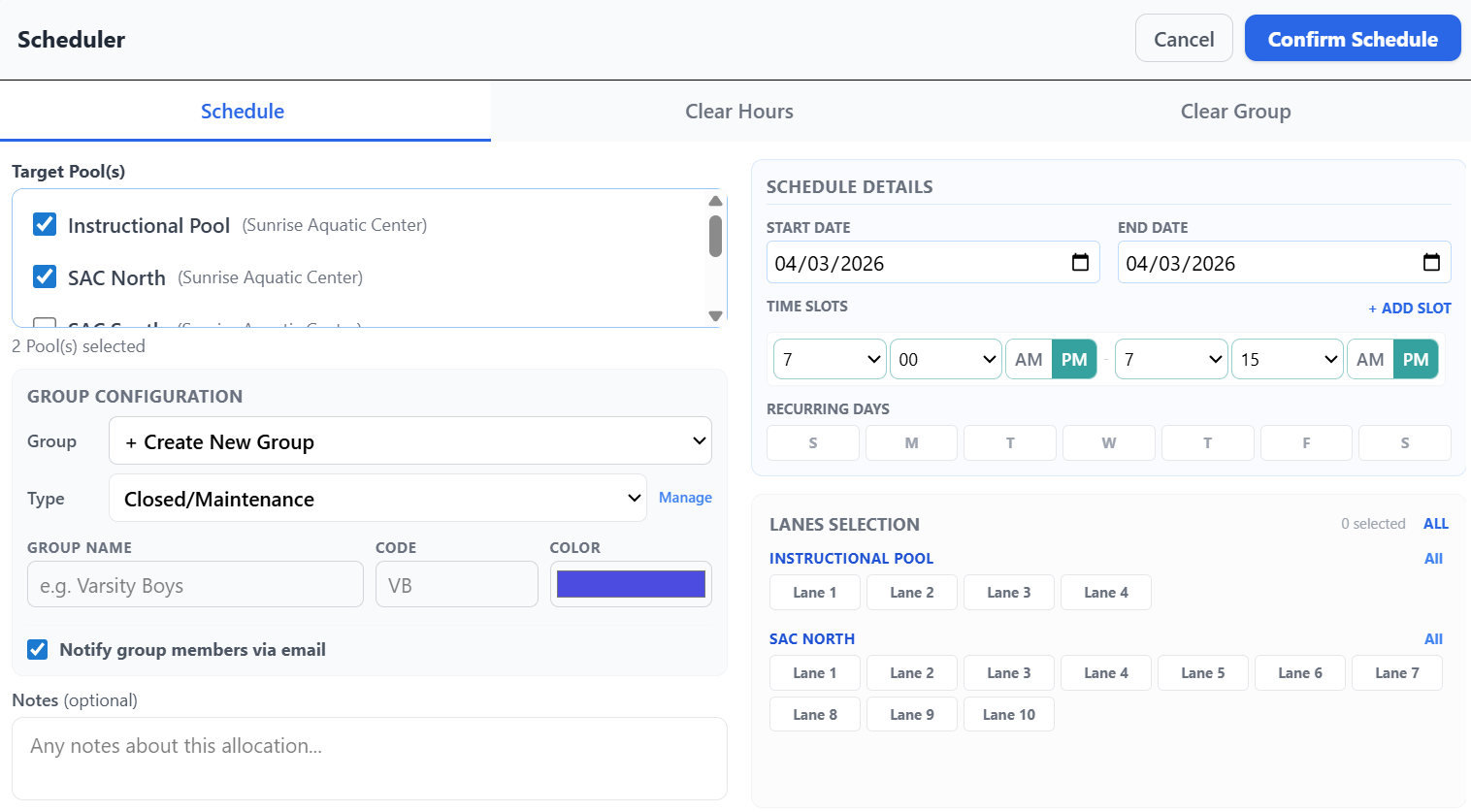
- ✓Allocate down to the sub-resource - lane, field section, court, or divided gym - with attributes you define
- ✓Drag across the grid to book: recurring series, single events, and clear-outs from one panel
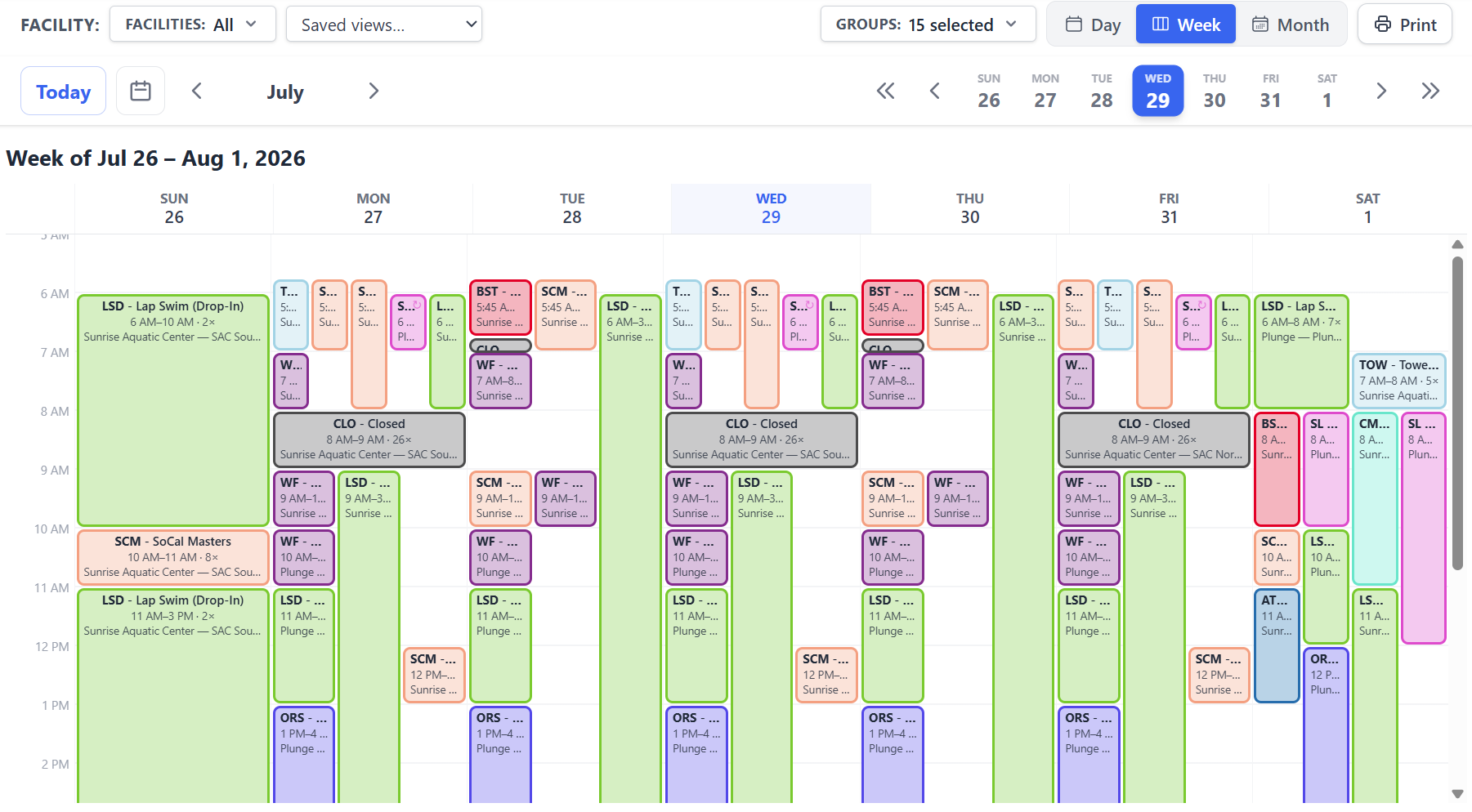
- ✓Day, Week, and Month views across every facility you operate, side by side
- ✓Operating hours, seasonal schedules, and closure dates configured per space
- ✓One-click undo on your last change, and a complete audit trail on everything else
Conflicts and changes
See what a change displaces before you commit to it
Double-booking is the failure mode that costs you community trust. The platform catches it at the moment of scheduling, not the morning of the event.
- ✓Real-time conflict detection the instant a booking would overlap an existing one
- ✓A checkbox per conflicting row - preserve the bookings you want, overwrite the rest
- ✓Every override logged with the displaced groups, time slots, and your notes
- ✓Members request changes or cancellations; you approve or decline from one queue
- ✓Email and in-app notifications wherever the schedule actually changes, with a per-action control over who hears about it
Shared visibility
Everyone works from the same schedule
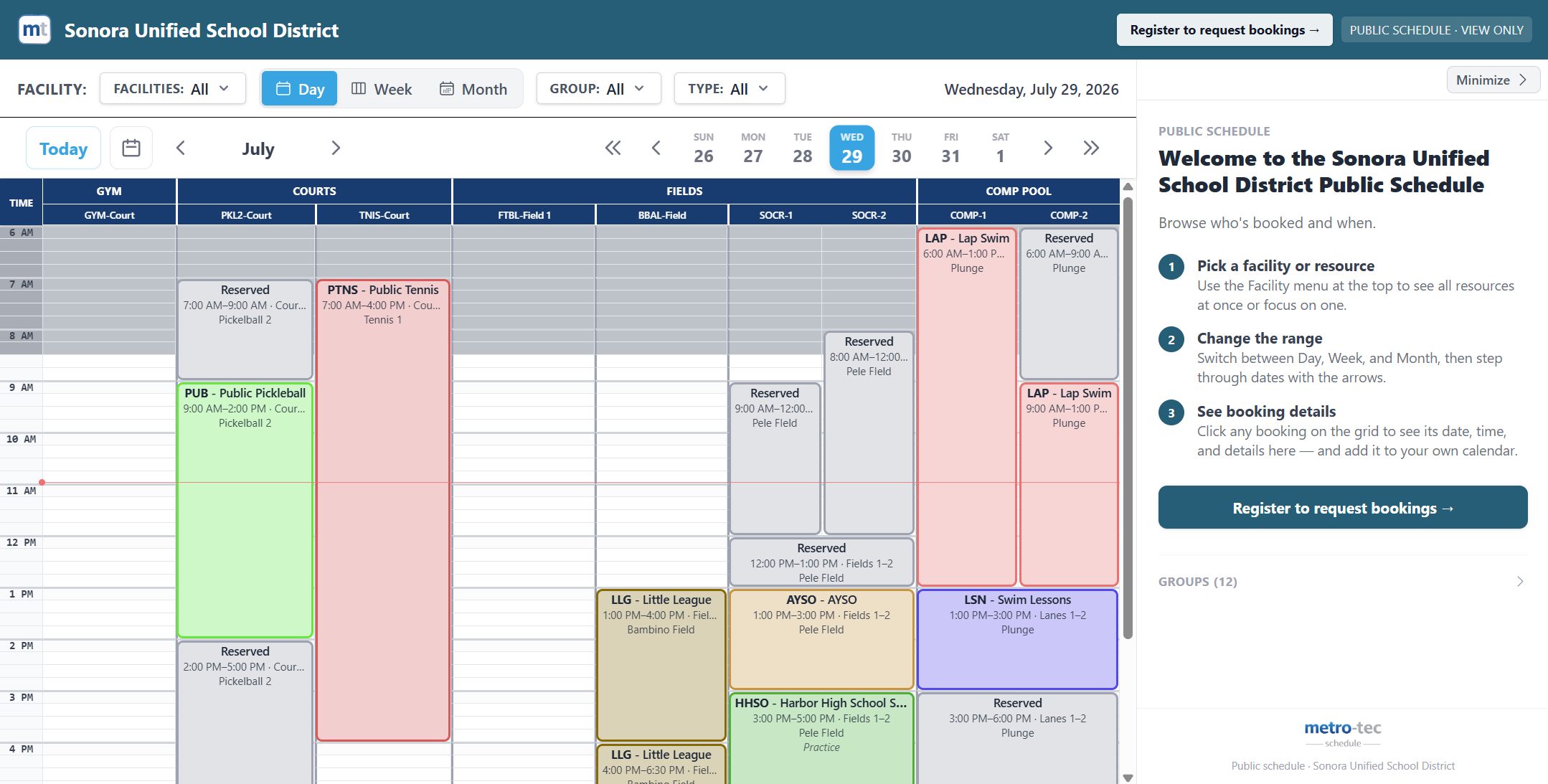
Staff, site administrators, renters, and the public each see the version of the calendar that belongs to them - without a single duplicated spreadsheet.
- ✓Publish a branded, no-login schedule - or embed it directly in your own website
- ✓Show each user group in full detail, as an anonymous reserved block, or not at all
- ✓Pre-filtered links locked to one facility or one group, for posting a single team's schedule on its own page
- ✓Role-based access for admins, staff, members, and view-only users
- ✓Add any booking to Google Calendar, including recurring series as a single repeating event
- ✓Installable on iOS, Android, and desktop as a progressive web app for use in the field
Scheduling is the first third of the job
Booked hours flow straight into rentals and reporting without being re-entered anywhere.
Put your whole calendar in one place
Most operators are up and running in days, not months. Start a guided trial with your own facilities, or walk through it with us first.