Metro-Tec

Data and reporting

The numbers behind the schedule.

Utilization, revenue, demand, and a complete record of every decision - reported from the same data your staff already entered by doing their jobs.

Utilization

Know which hours are empty and what they are worth

Cost recovery starts with an honest answer to one question: when is this building not being used? The platform answers it per space and per sub-resource, without anyone tallying a spreadsheet.

  • Booked time measured against your configured operating hours, per resource and sub-resource
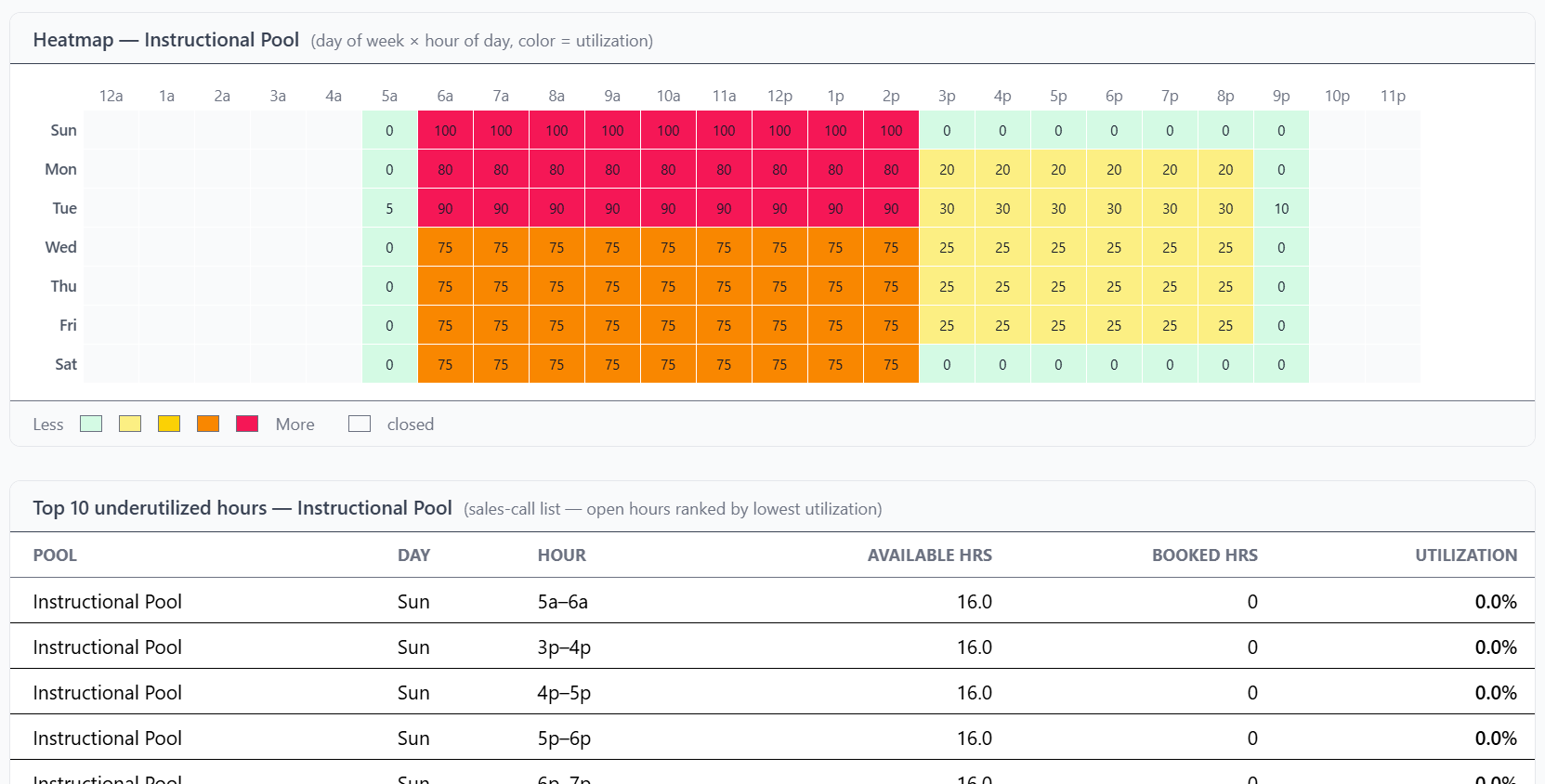
  • A day-of-week by hour-of-day heatmap that shows demand patterns at a glance
  • A ranked list of your ten most underutilized hours - a working list of what to sell
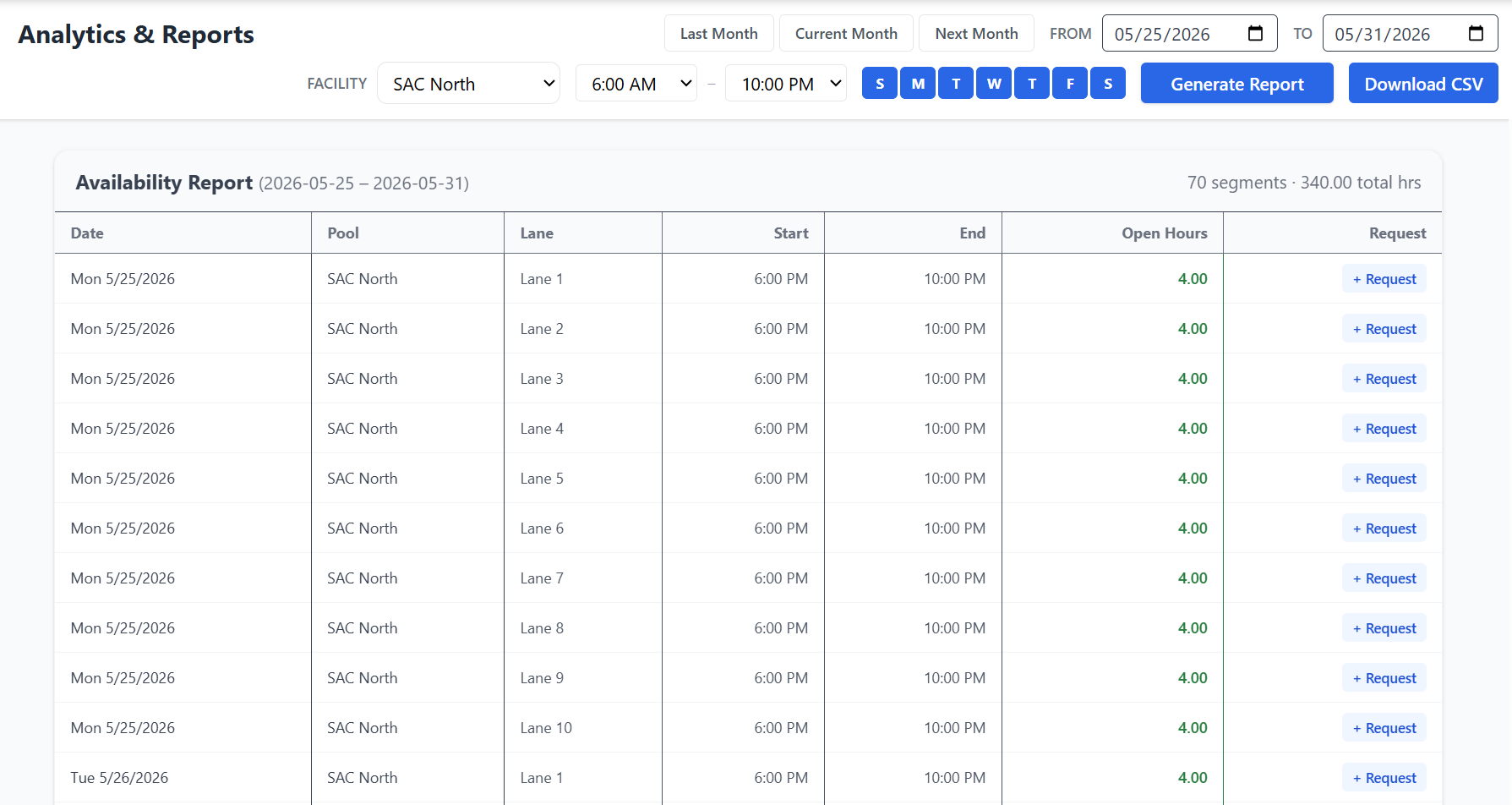
  • An availability report listing the actual open blocks you can act on, filtered by space, lane, day, and time of day
  • Internal and community use tracked separately, so you can see who is really filling the calendar
Utilization report with a demand heatmap and a ranked list of the most underused hours
Availability report listing open blocks by resource and lane

Revenue and demand

See what every group and every space actually earns

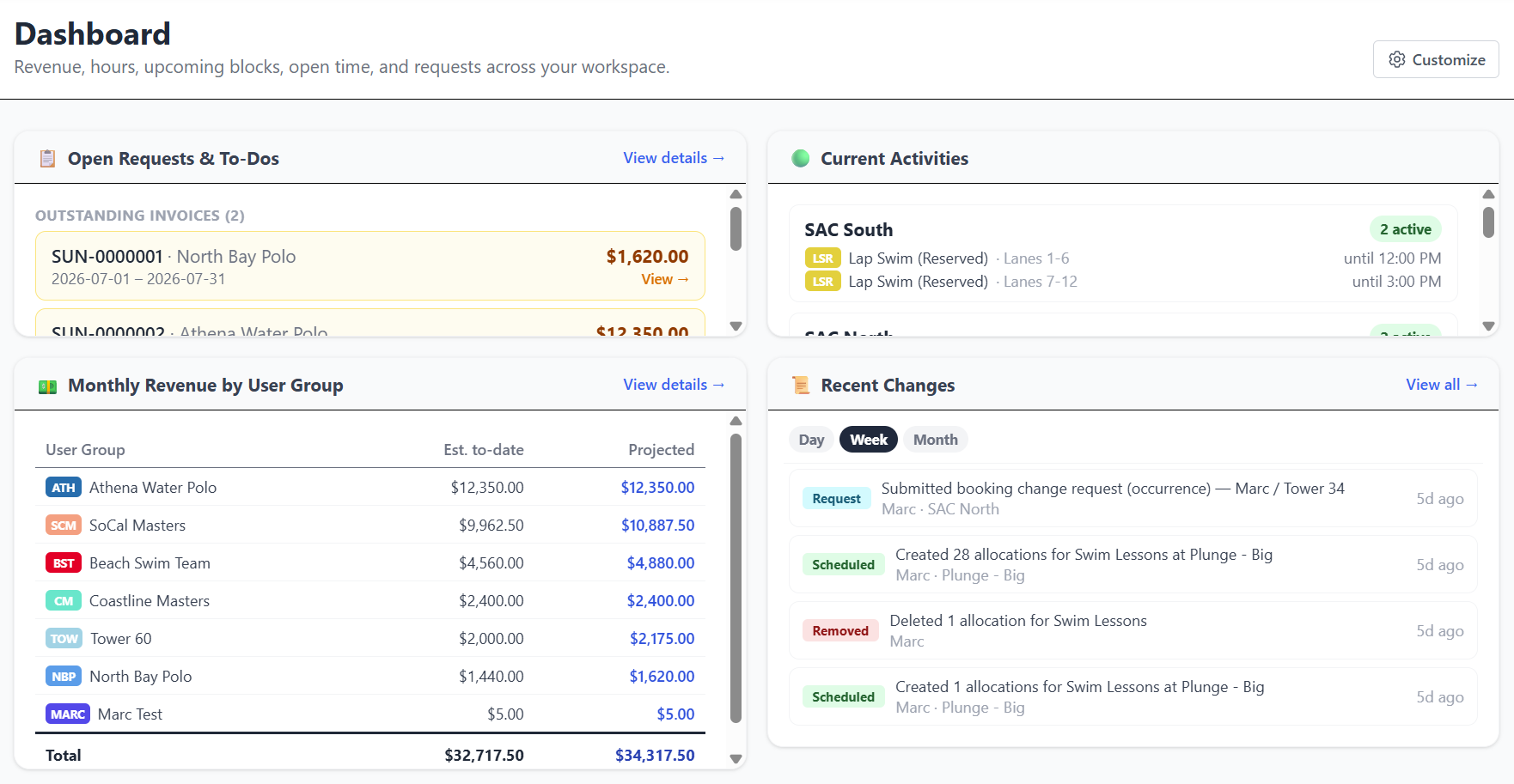
Revenue by organization, activity in progress, and what is waiting on someone's approval - on one dashboard rather than three reports nobody runs.

  • Revenue by user group and by facility, so you know which relationships carry the program
  • Open requests and pending approvals surfaced with the rest of the operating picture
  • Revenue forecasting from hours already booked, before the invoices go out
  • Billing history across paid, sent, and processing invoices, with outstanding balances visible
  • Member-side dashboards give each renter their own hours, month-to-date spend, and projection - which cuts the questions that reach your staff
Admin dashboard showing revenue by group, current activity, and open requests

Accountability and exports

Every decision has a record, and every record leaves the building

When a board member, a council member, or a community group asks why a request was handled the way it was, the answer should take a minute to find - not a week.

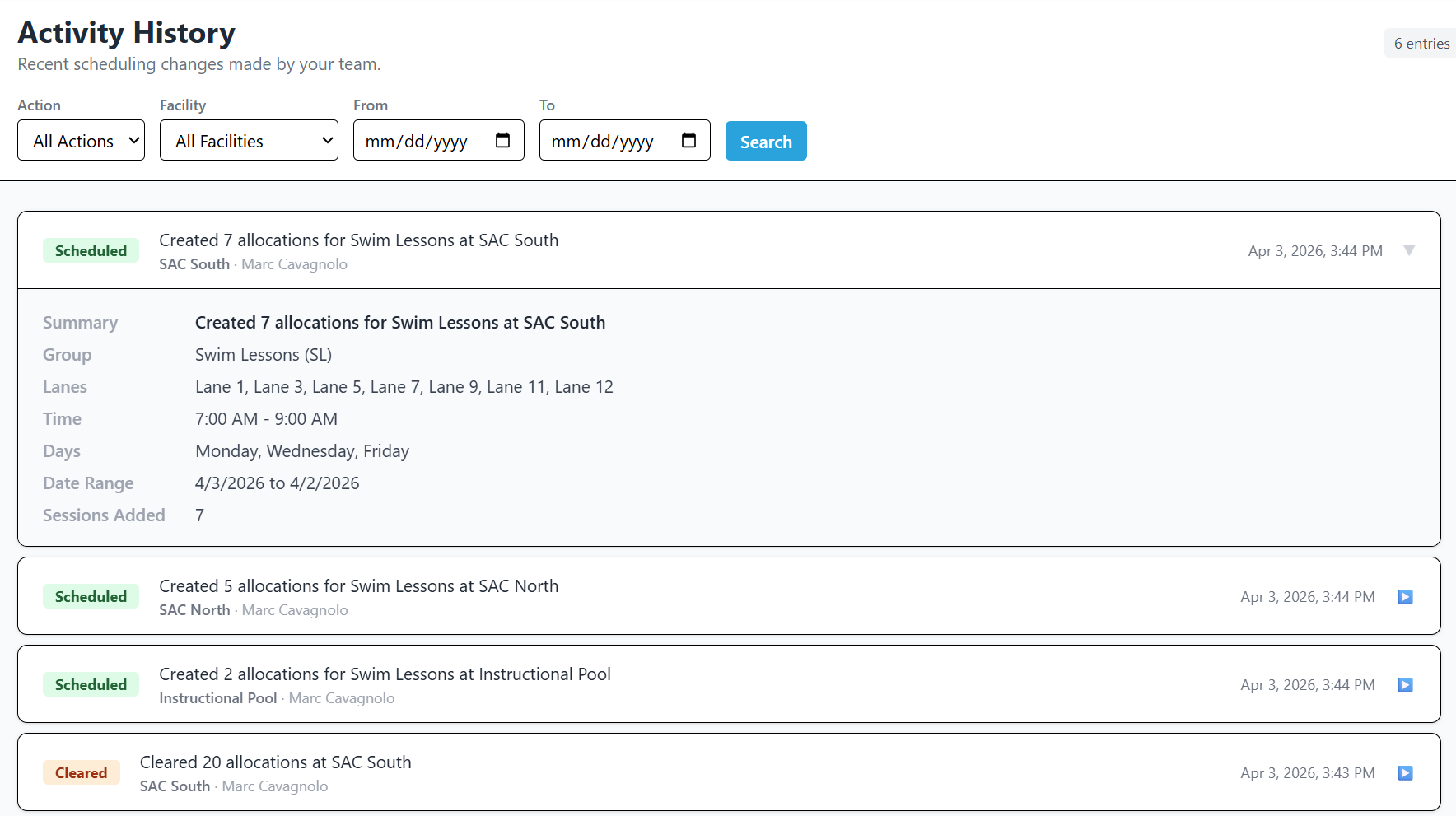
  • A complete audit trail of every booking created, updated, cleared, or displaced, with actor and timestamp
  • Overrides logged with the displaced groups, the affected time slots, and the admin notes attached
  • Compliance history per organization: what was required, what was submitted, who approved it and when
  • Row-level exports for the handoff to finance, plus CSV and JSON export of your data at any time
  • Automatic daily backups with on-demand snapshots, and a restore scoped to your own workspace
Audit log listing every schedule change with the acting user and timestamp

What the reporting is actually for

Reports are only worth running if they change a decision. These are the four they change most often.

Set rates you can defend

Pair utilization against overhead allocation to show what an hour in a given space actually costs to operate before you argue about what to charge for it.

Support a budget request

Bring booked hours, revenue by facility, and demand patterns to the budget conversation instead of an anecdote about the gym being busy.

Review a policy honestly

Approvals, denials, and displacements are all on the record, so a policy review starts from what happened rather than what people remember.

Answer the community

When a group asks why they did not get the time they wanted, the schedule, the request queue, and the audit trail tell a consistent story.

Stop reporting from memory

Every hour booked in the platform is a row you can report on. Start a guided trial and see what your own calendar looks like measured.